> For the complete documentation index, see [llms.txt](https://athome-1.gitbook.io/athome-docs/llms.txt). Markdown versions of documentation pages are available by appending `.md` to page URLs; this page is available as [Markdown](https://athome-1.gitbook.io/athome-docs/tools/projects.md).
# Projects
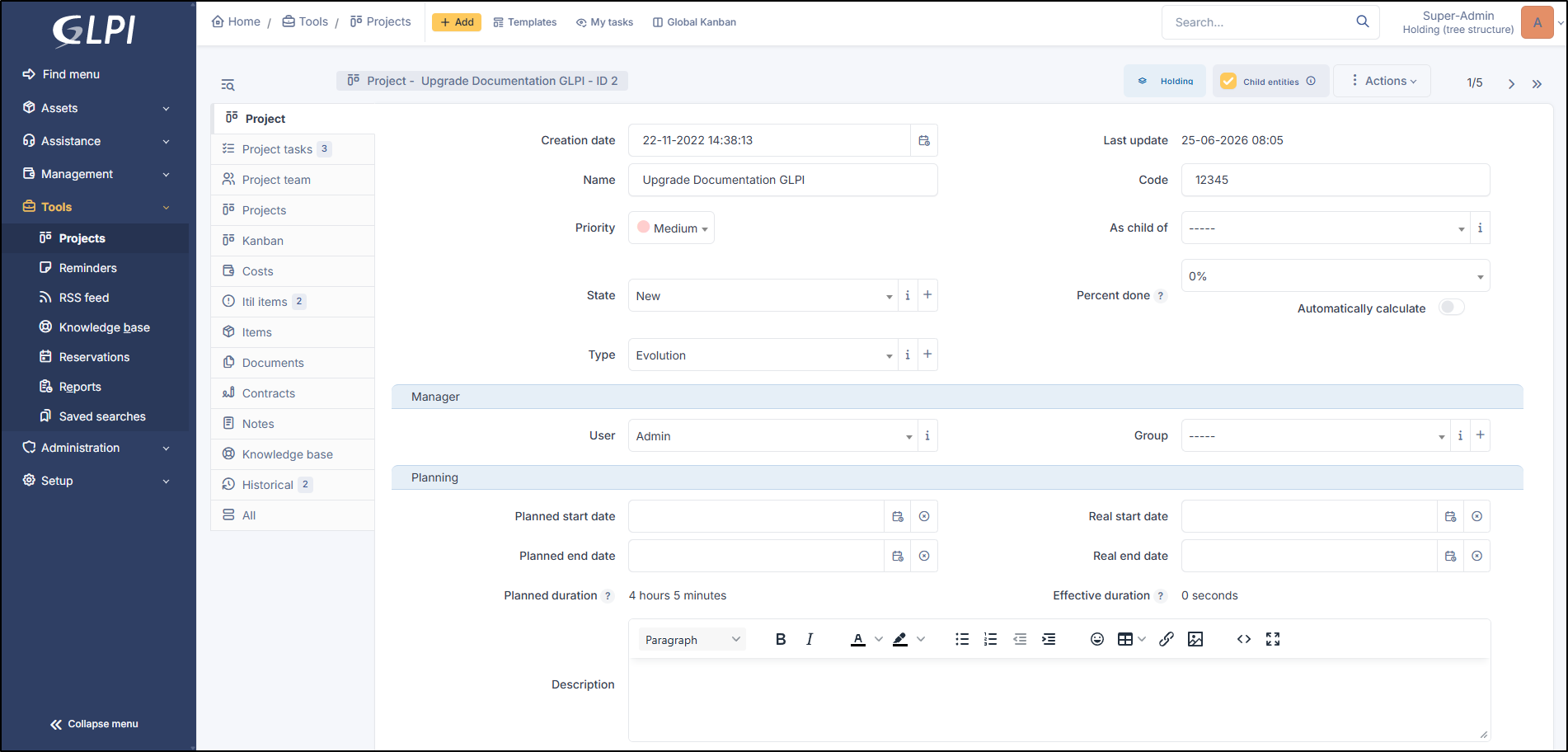
Project management in GLPI allows to follow entirely a project's progress by creating tasks and building teams; projects can be optionally linked to a [change](/athome-docs/assistance/changes.md).
Global view project
A GLPI project allows:
* defining tasks associated to the project and following their progress;
* creating teams for a project and its tasks;
* triggering sub-projects inside the project;
* using Kanban method;
* attaching costs;
* linking to GLPI ITIL items.
A project can be hierarchical, a project can therefore have sub-projects.
A project is characterized by name, code, state, type, provisional and real dates, percent done.
Distinct management teams can by composed of users, groups, suppliers and contacts.
Project management relies on two types of items: project and project task.
***
## Project tasks
This tab allows to add new tasks to the project. It displays also already defined tasks with, for each task, its name, type, status, planned start and end dates, real start and end dates, percent done and parent task name.

Go to Project tasks
***
## Project team
This tab allows to add new members to the project team, this member being a contact, a supplier or a group. It lists also members of project team with for each member its type.

***
## Project
This tab displays project's sub-projects. A sub-project is defined the same way as a project, the only difference being that the field `As child of` is defined.

***
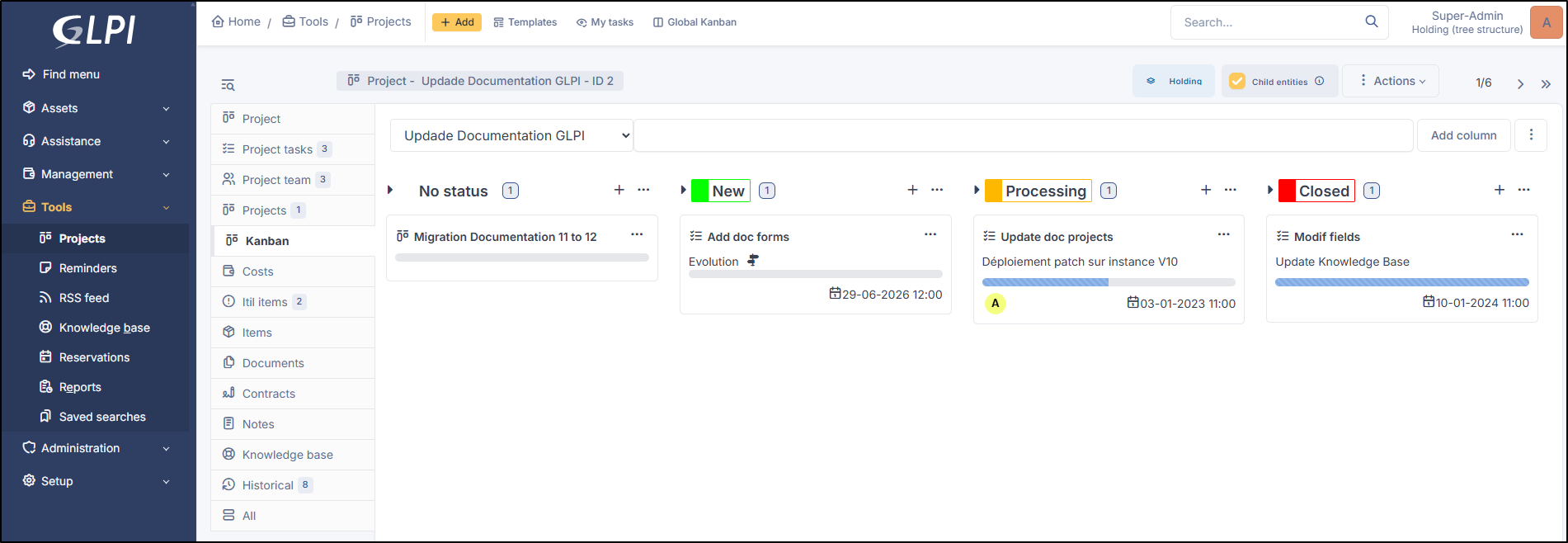
## Kanban
This tab provides an interface to use Kanban method.
Go to Kanban
***
## Costs
Costs can be attached to projects; the costs of the tickets attached to project's tasks will sum up to these costs.
Go to Costs
***
## ITIL objects
This tab allows to attach to the project GLPI ITIL objects: tickets, problems and changes. It is also possible to create these objects directly from this tab.
Go to ITIL Objects
***
## Documents
The document tab lets you link different types of file to a material (PDF, txt, png, etc.) You can attach a document already uploaded to GLPI or add a new one directly from this tab.
Go to Documents
***
## Contracts
GLPI supports contracts management, in order to manage contract types such as loan, maintenance, support...
Contracts management allows to:
* make an inventory of all contracts related to the organization assets
* integrate contracts in GLPI financial management
* anticipate and follow contract renewal.
Go to Contracts
***
## Notes
The *Notes* tab provides a free text field for storing additional information. Notes are displayed in the order of their creation. You can also add a document
***
## History
The *History* tab is used to show any changes made to an item. The following information about the changes is available:
* ID of the change.
* Date and time the change was made.
* User who made the change. If this field is not filled, it means that the action was done automatically (For example: automatic inventory update).
* Field that was changed.
* Description of the change that was made.
The description of the change represents either the difference between the old and the new value (For example with location field: Change HQ to Remote Office A), or the explanation of the action which was carried out (For example: Uninstallation of a software: "Gimp 2.0").
{% hint style="info" %}
For dropdowns or objects with a parent/child relationship, the modification of a child will appear in the history of the parent element.
{% endhint %}
***
## All Information
For an item, all information is displayed on one page from the *All* tab. This shows all of the tabs of an object's form in one view, one below the other.