> For the complete documentation index, see [llms.txt](https://athome-1.gitbook.io/athome-docs/llms.txt). Markdown versions of documentation pages are available by appending `.md` to page URLs; this page is available as [Markdown](https://athome-1.gitbook.io/athome-docs/tabs/sockets.md).
# Sockets
The Connectors tab allows you to add any type of connector, which can then be linked to elements that have a Connectors tab.
You can also manage these connectors from the Cables tab in the Assets module.

***
## Add a socket
### Single unit
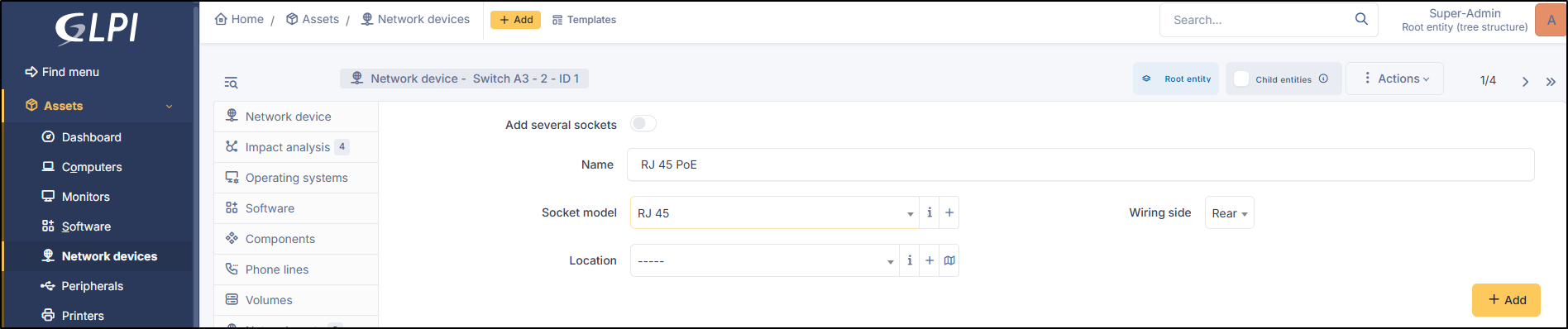
* To add a socket, enter the socket name
* Add a name
* Select the connector model (you can view the list by clicking on :info:or add a new one by clicking on :plus:)
* Specify the wiring direction (front / rear)
* Specify the location (optional)
* Click **`Add`**
Add a socket
### Bulk
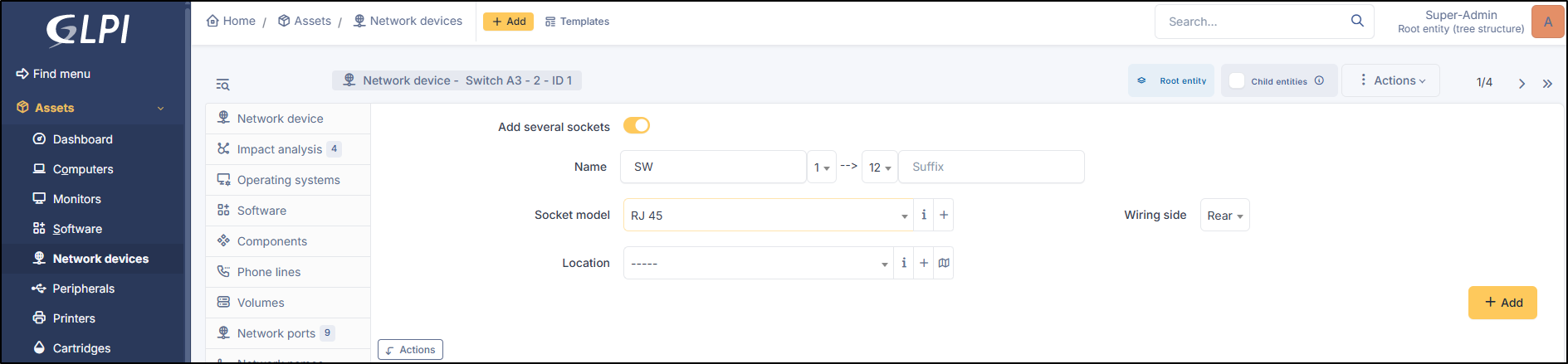
* You can also add multiple ports in a single action
* Enable the **Add severals sockets** option
* Specify a name (prefix or suffix)
* Indicate how many ports to add using the drop-down lists
* Select the port model (you can view the list by clicking on :info: or add a new one by clicking on :plus:)
* Specify the cabling direction (front/rear)
* Specify the location (optional)
* Click Add
***
## Delete sockets
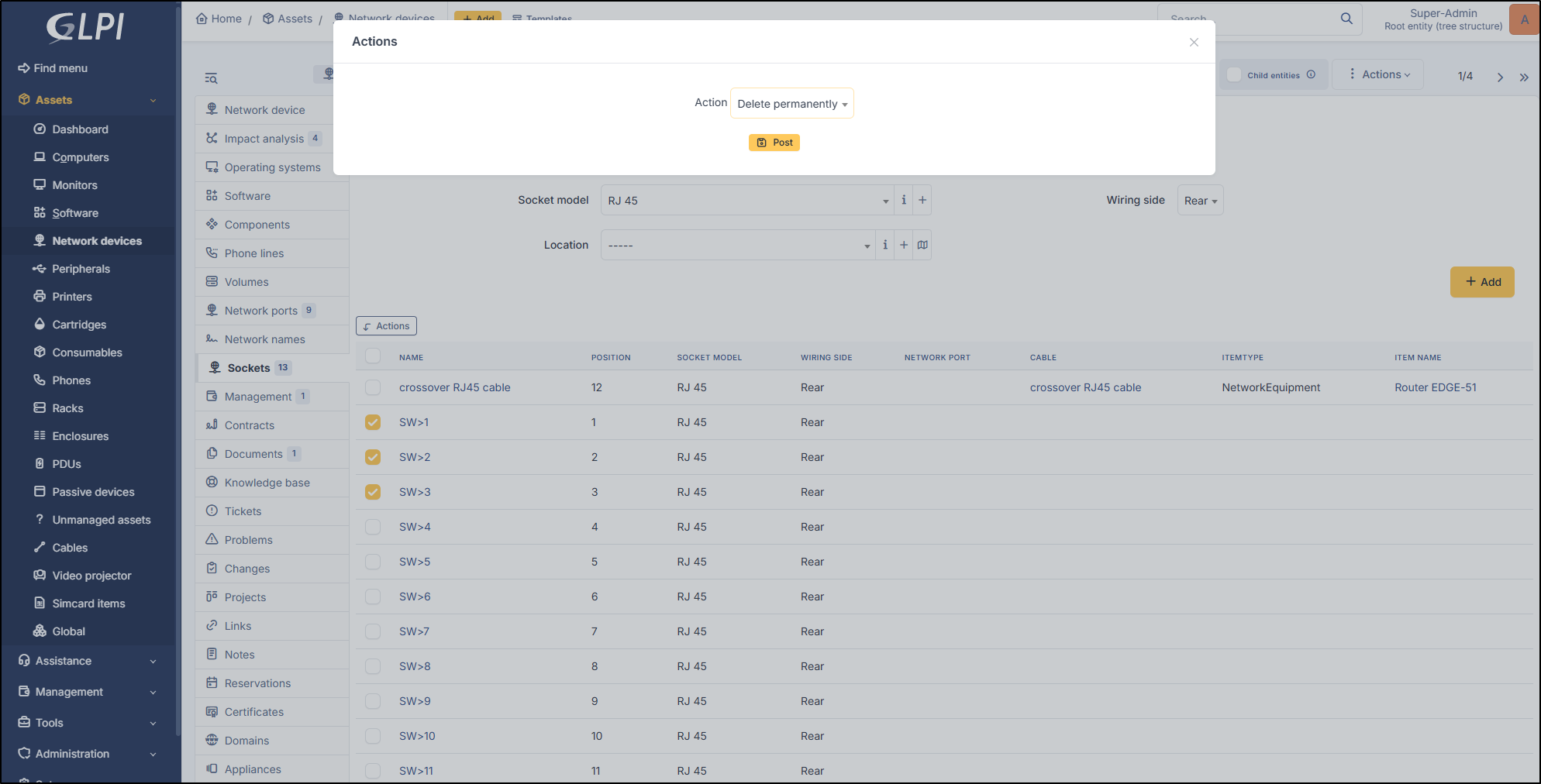
Deletion is performed via a bulk action
* Select the ports to delete
* Click **`Actions`**
* Select **Delete permanently**
* Click **`Post`**
***
## Interconnect
You can also connect a connector using a cable.
Go to Cables