> For the complete documentation index, see [llms.txt](https://athome-1.gitbook.io/athome-docs/llms.txt). Markdown versions of documentation pages are available by appending `.md` to page URLs; this page is available as [Markdown](https://athome-1.gitbook.io/athome-docs/setup/general/search-result-display.md).

# Search Result Display

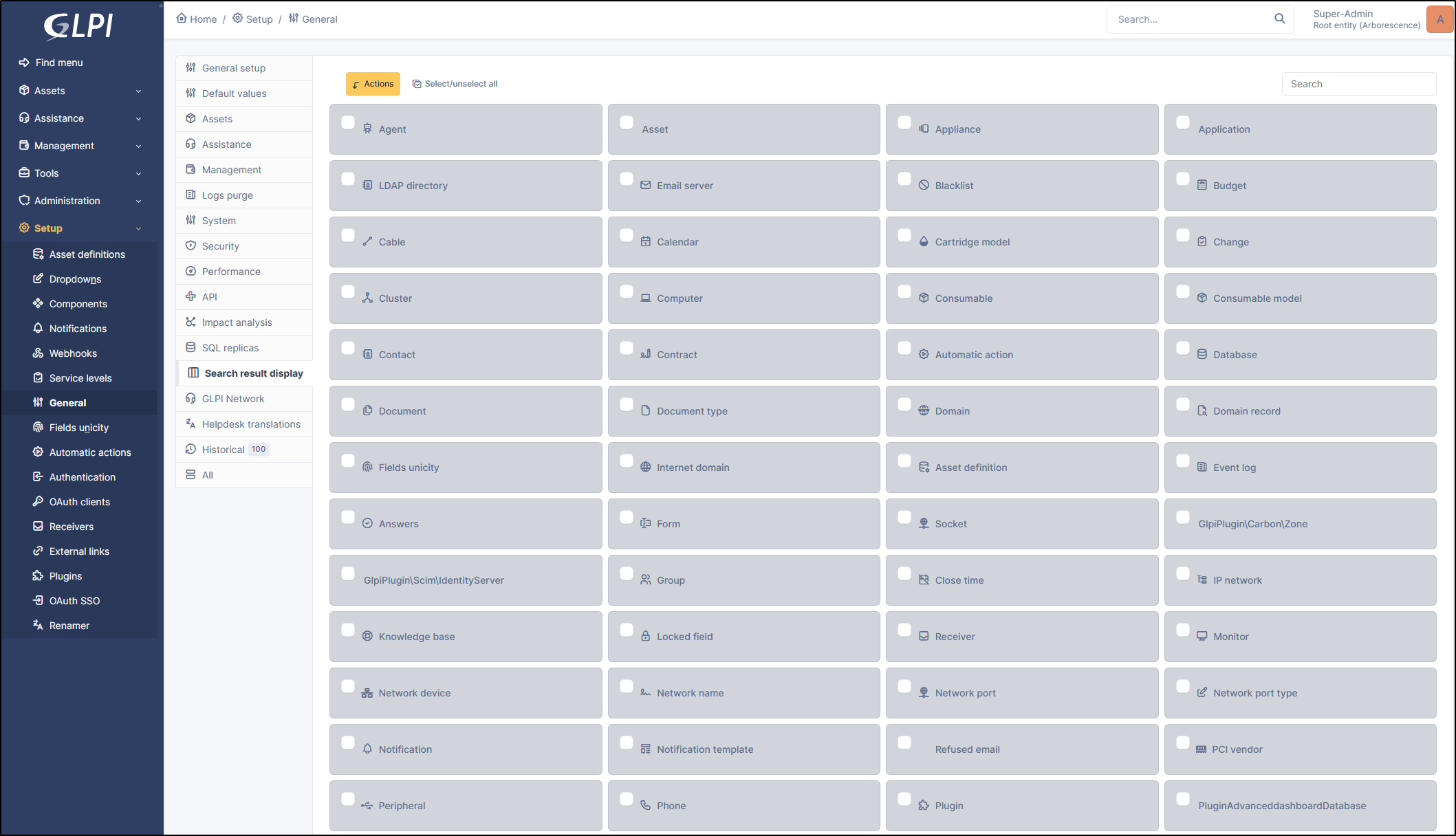
This tab lists all GLPI search pages and allows you to add/modify/delete columns from the global view of each GLPI object.

You can also perform a bulk action to reset the search columns of selected items to their default settings.

<figure><img src="https://2965217165-files.gitbook.io/~/files/v0/b/gitbook-x-prod.appspot.com/o/spaces%2FBk8u0TPogHtiUd7DaQyf%2Fuploads%2Fgit-blob-0e204f7cff2b90ab59c42aba0e5046dff9a2354a%2Fview_search_result.png?alt=media" alt=""><figcaption><p>Overview search result display</p></figcaption></figure>

{% hint style="info" %}
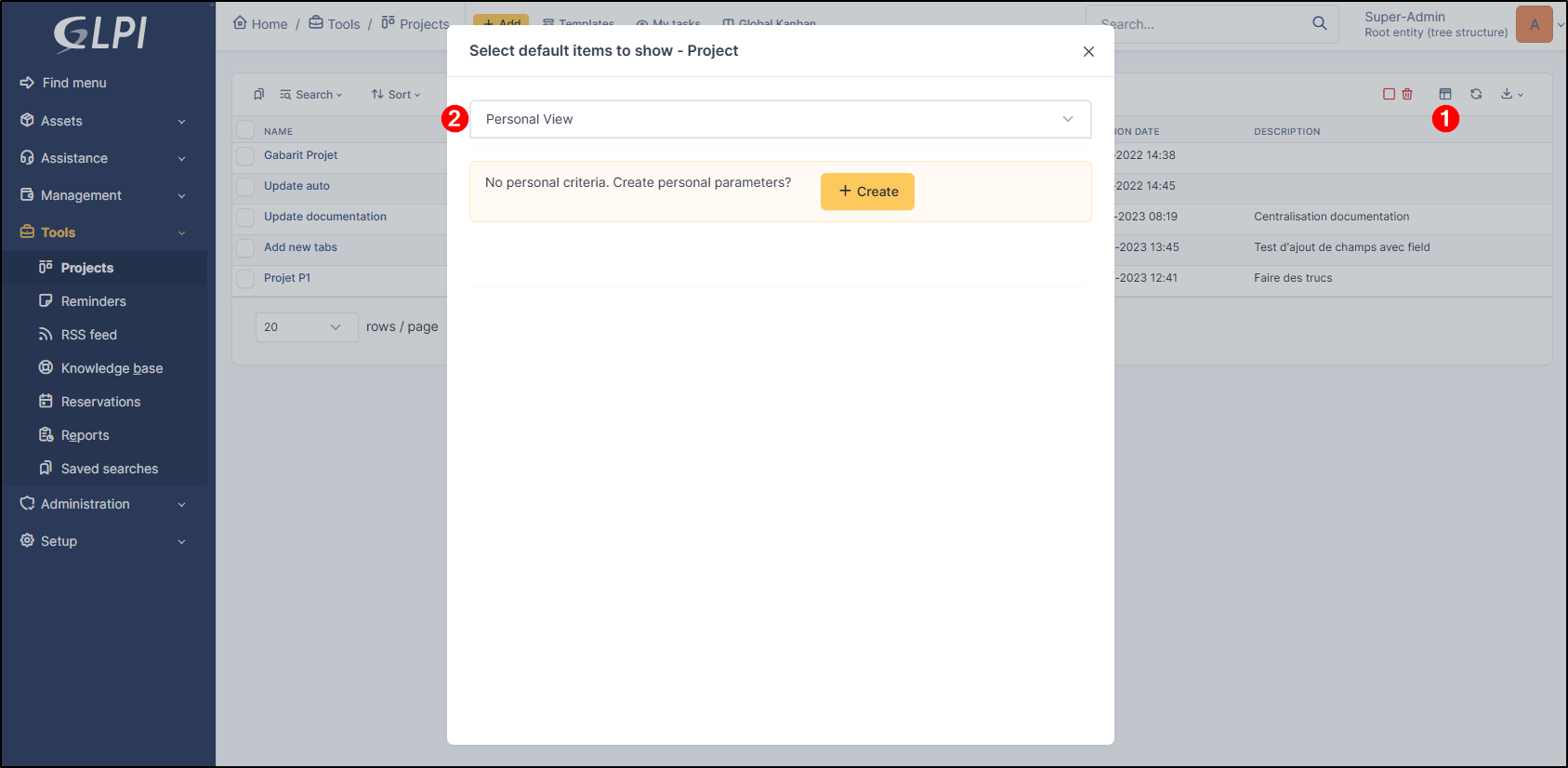
For the global view that you modify via this option to be visible to users, the custom view must **not have been created** and must be in the same state as shown in the image below.

<img src="https://2965217165-files.gitbook.io/~/files/v0/b/gitbook-x-prod.appspot.com/o/spaces%2FBk8u0TPogHtiUd7DaQyf%2Fuploads%2Fgit-blob-6d22c1fbb9f85e72f83cc35b0222b0de0dee0ee6%2Fpersonnal_view.png?alt=media" alt="" data-size="original">
{% endhint %}

***

## Modify Object View

You can modify the visible columns by clicking on the desired object.
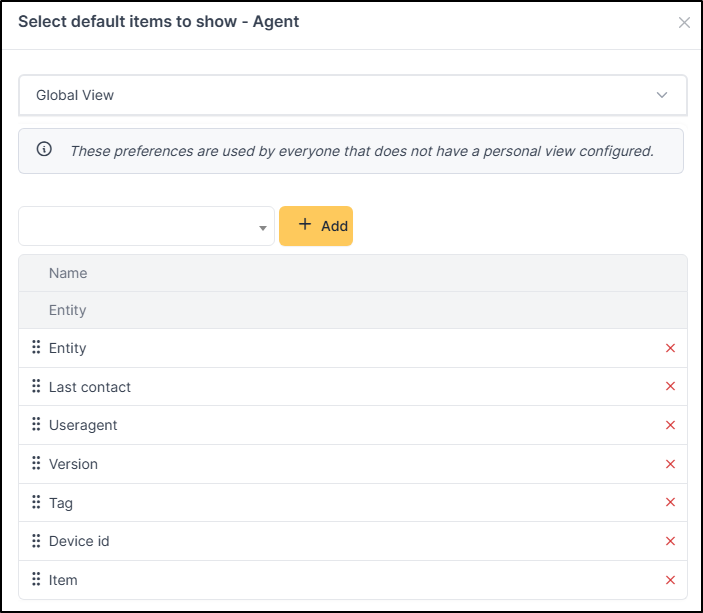
<div align="left"><figure><img src="https://2965217165-files.gitbook.io/~/files/v0/b/gitbook-x-prod.appspot.com/o/spaces%2FBk8u0TPogHtiUd7DaQyf%2Fuploads%2Fgit-blob-7f1503ff9d15d1a16c9434921f47686cf78dca90%2Fmodify_column.png?alt=media" alt=""><figcaption></figcaption></figure></div>

* Add the desired elements from the dropdown list and click **+ Add**

or

* Click the red cross to delete a column.

{% hint style="success" %}
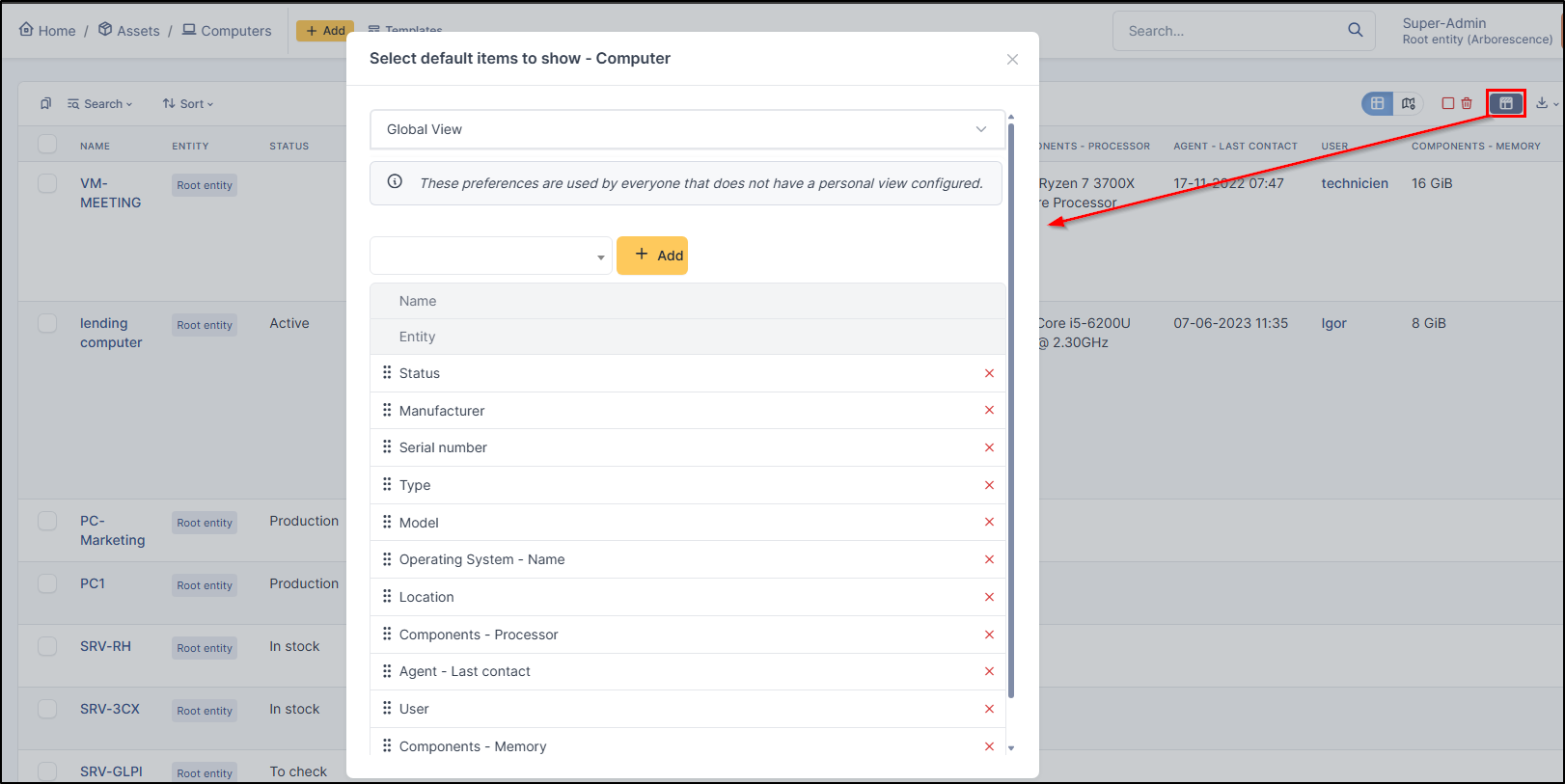
These columns are also modifiable from the "**Select columns to display by default**" option at the top right of each GLPI object.

<img src="https://2965217165-files.gitbook.io/~/files/v0/b/gitbook-x-prod.appspot.com/o/spaces%2FBk8u0TPogHtiUd7DaQyf%2Fuploads%2Fgit-blob-51aa98c3e7c1ee3760d94aab7ba01c4f63aa794c%2Fview_column.png?alt=media" alt="" data-size="original">
{% endhint %}

***

## Bulk Action

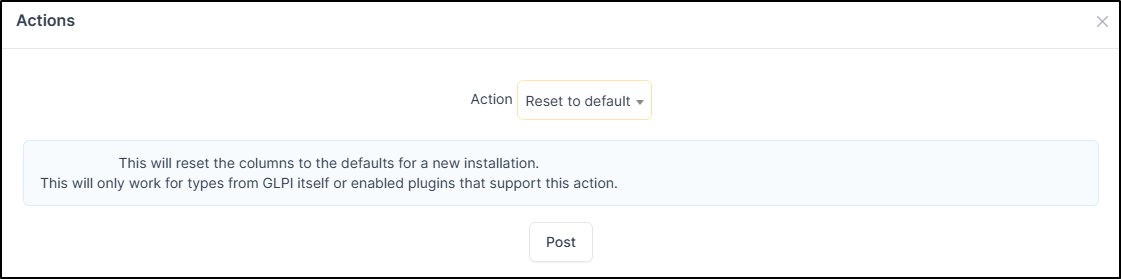
You can reset the global view of multiple objects at once.

* Select the desired objects (or click **select all** next to the **Actions** button)
* Click Actions
* Reset to default
<figure><img src="https://2965217165-files.gitbook.io/~/files/v0/b/gitbook-x-prod.appspot.com/o/spaces%2FBk8u0TPogHtiUd7DaQyf%2Fuploads%2Fgit-blob-3590703aa4fec1c026bf0df1ce46a598c68c0c87%2Freset_default.png?alt=media" alt=""><figcaption></figcaption></figure>

{% hint style="info" %}
This action will restore the default columns as they were upon a new installation.

This only works for GLPI's own object types, or for enabled plugins that support this action.
{% endhint %}