> For the complete documentation index, see [llms.txt](https://athome-1.gitbook.io/athome-docs/llms.txt). Markdown versions of documentation pages are available by appending `.md` to page URLs; this page is available as [Markdown](https://athome-1.gitbook.io/athome-docs/setup/data-and-privacy.md).
# Data and Privacy
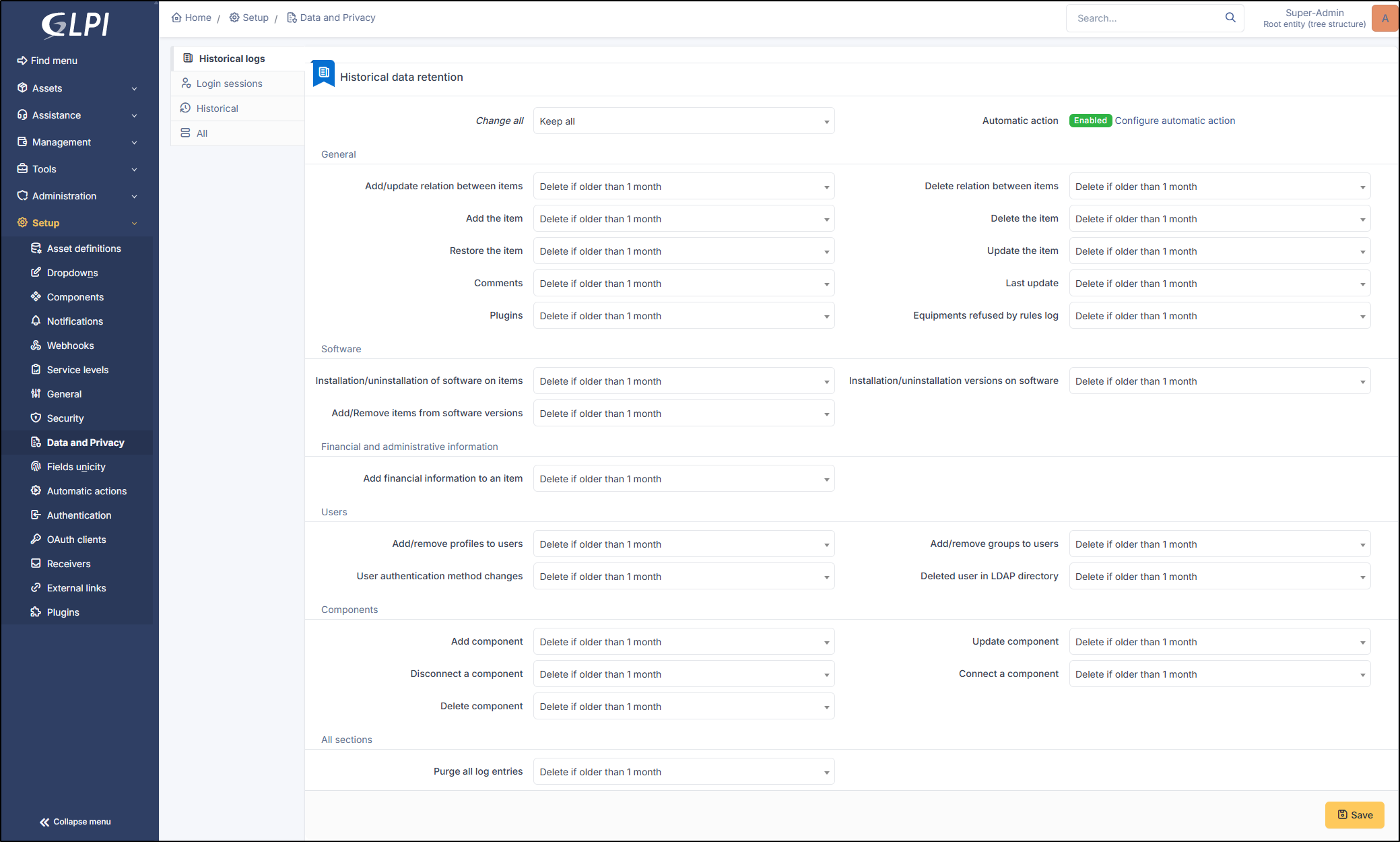
Configure how long to keep historical log entries and login session base on the type of the entry or globally.
Setup the historical logs
{% hint style="success" icon="lightbulb-on" %}
The log purge is done by the **`PurgeLogs`** automatic action.
{% endhint %}
{% hint style="info" %}
We advise you to purge your logs so as not to overload your instance and **avoid the keep** all option.
{% endhint %}
You can choose the first option **Change all** to setup all entries at once.
Each field allows you to delete, keep or delete after a certain period (between 1 and 120 months).
***
## Historical logs
### General
* **Add/update relation between items**
* **Delete relation between items**
* **Add the item**
* **Delete the item**
* **Restore the item**
* **Update the item**
* **Comments**
* **Last update**
* **Plugins** : retains or not the history of a plugin. For example, in the advanced dashboard, the history tab could be cleared.
* **Equipments refused by rules log** : Rules can be put in place to refuse equipment when an employee is working remotely, for example. This history can be cleared.
{% hint style="info" %}
An **item** is defined as anything that could be linked to a GLPI object (a contract, a document, a computer, etc.)
{% endhint %}
***
### Software
* **Installation/uninstallation of software on items**: add a new software
* **Installation/uninstallation versions on software**: adding a new version of an existing software package to a GLPI object. For example, adding version 7.4 of PowerShell to a computer that already has PowerShell installed
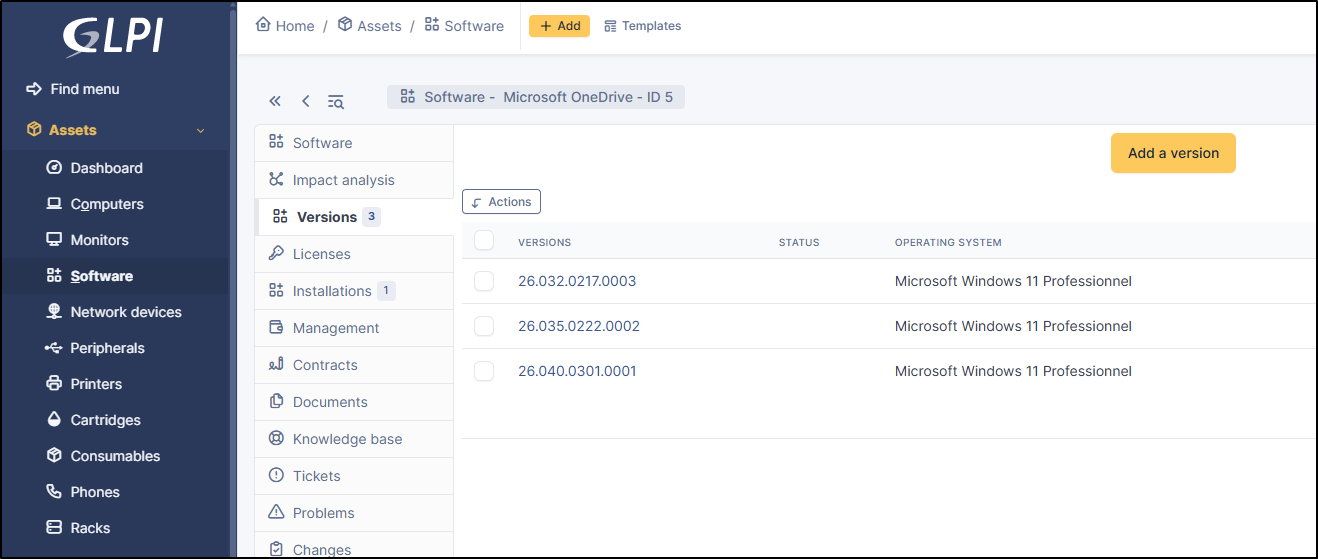
* **Add/Remove items from software versions**: This applies to **`Parc`** > **`Software`**. Multiple versions of the same software can coexist; here, we use OneDrive as an example. This option will clear the history of added versions from **`Parc`** > **`Software`** (without deleting the version itself, of course)
***
### Financial and administrative information
* Add financial information to an item
***
### Users
* Add/remove profiles to users
* Add/remove groups to users
* User authentication method changes
* Deleted user in LDAP directory
***
### Components
* **Add component**: adding a new component not currently in the database
* **Update component**: updating a component
* **Disconnect a component**: removing the connection between an existing component and another GLPI object
* **Connect a component**: connecting an existing component to a GLPI object (for example, connecting an existing PCIe port in the database to a computer)
* **Delete component**: removing a component
***
### All sections
* Purge all log entries
***
## Login sessions
### Login session data retention
* **Retention period (days)**: 90 by default
* **Action automatic**: enable the automatic action **`purgesessionhistory`** to activate the login session data retention (**`Setup`** > **`Automatic actions`**)