> For the complete documentation index, see [llms.txt](https://athome-1.gitbook.io/athome-docs/llms.txt). Markdown versions of documentation pages are available by appending `.md` to page URLs; this page is available as [Markdown](https://athome-1.gitbook.io/athome-docs/assistance/tabs/project-tasks.md).
# Project tasks
When you create a [project](/athome-docs/tools/projects.md), you can also create tasks related to that project.
In the Project Tasks tab, you can add any task from any project, provided that it is not in closed status.
## Add a project task
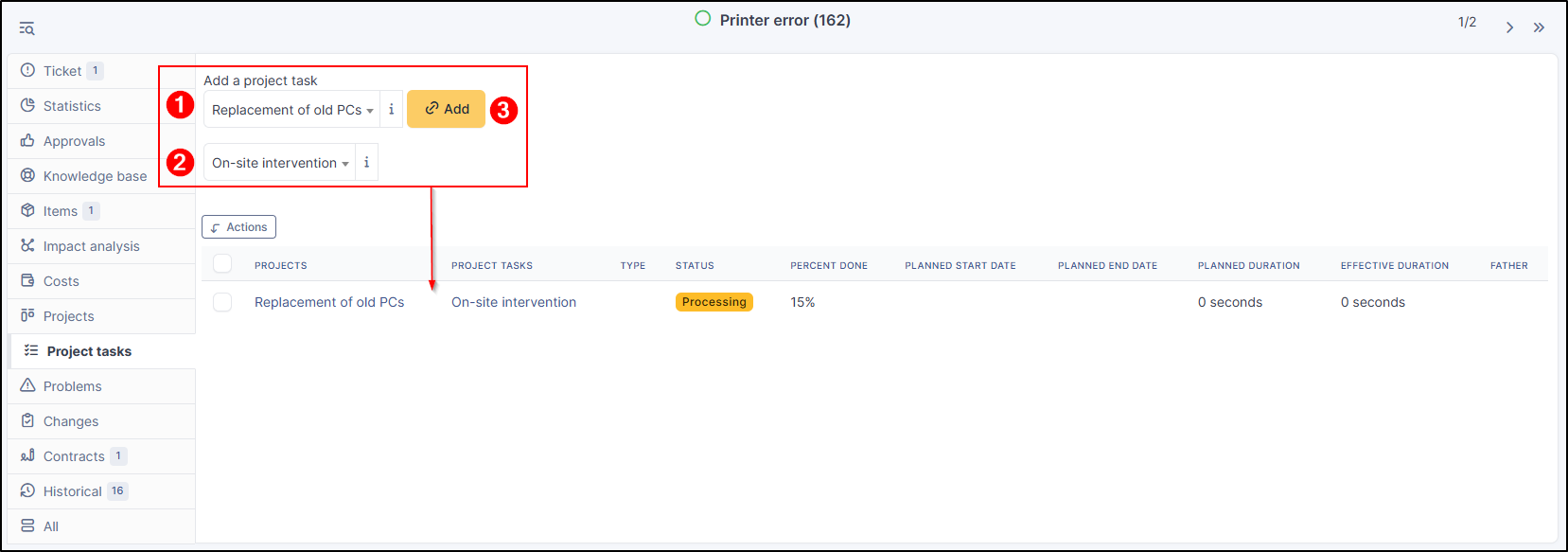
* To add a task project, select the project concerned;
* Select the task you want;
* Click on **`Add`**
Add a project task
The validation percentage displayed will be updated when the task itself is modified.\
You can add as many project tasks as necessary
## Delete a task
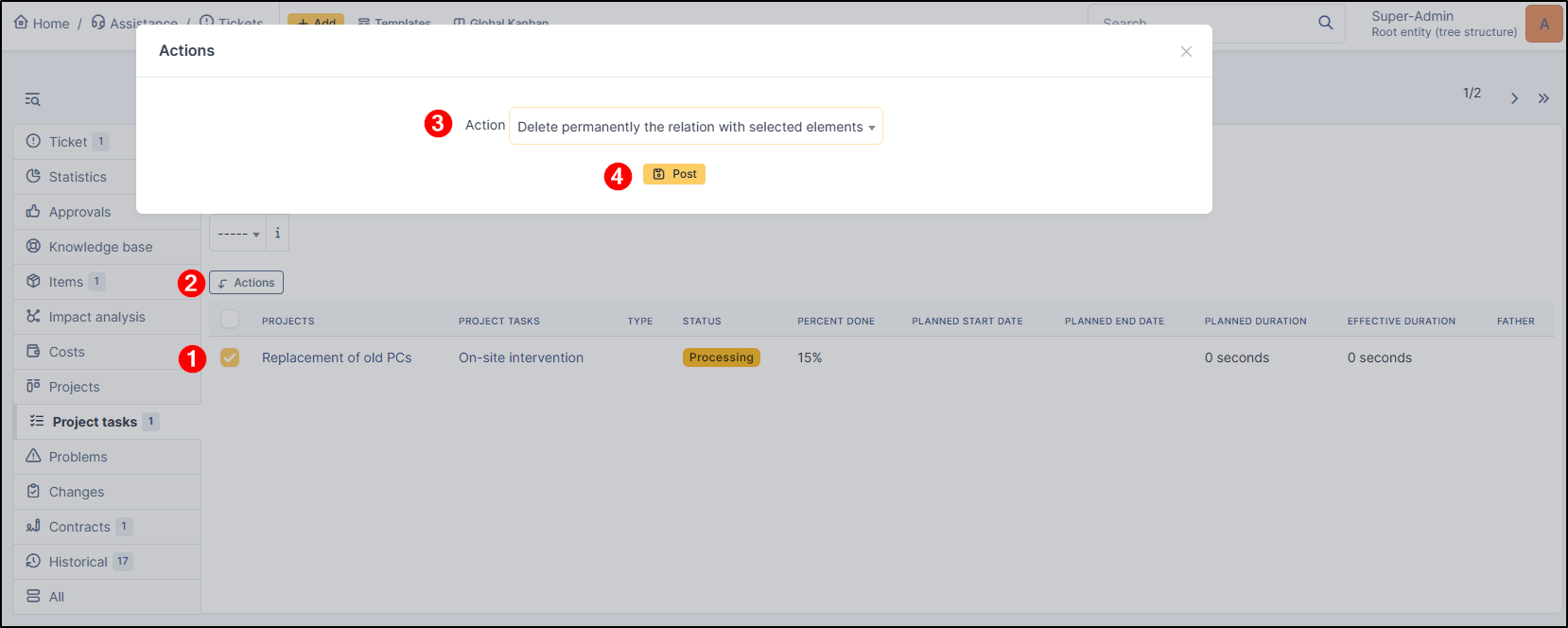
* To delete a project task, select the task concerned;
* Click on **`Actions`**;
* Select **Delete permanently the relation with selected elements**;
* Click on **`Post`**;