> For the complete documentation index, see [llms.txt](https://athome-1.gitbook.io/athome-docs/llms.txt). Markdown versions of documentation pages are available by appending `.md` to page URLs; this page is available as [Markdown](https://athome-1.gitbook.io/athome-docs/assistance/service-catalog.md).
# Service Catalog
## Introduction
The Service Catalog in GLPI 11.0 represents a major redesign of the self-service interface, providing end users with a modern and intuitive experience to access IT services. This new version introduces an advanced categorization system, visual illustrations, and intelligent search capabilities.
***
## Service Catalog Objectives
* **Simplify service access**: Modern and intuitive interface;
* **Enhance user experience**: Category-based navigation with illustrations;
* **Facilitate search**: Advanced fuzzy search and smart filters;
* **Organize services**: Hierarchical category system;
* **Customize display**: Rich illustrations and descriptions;
***
## Service Catalog Configuration
### Enabling the Service Catalog
{% stepper %}
{% step %}
### **Global Configuration**
1. Log in with an administrator account;
2. Navigate to **`Administration` > `Entities`**;
3. Select the root entity or target entity;
4. Access the **Helpdesk home** tab;

{% endstep %}
{% step %}
### **Catalog Settings**
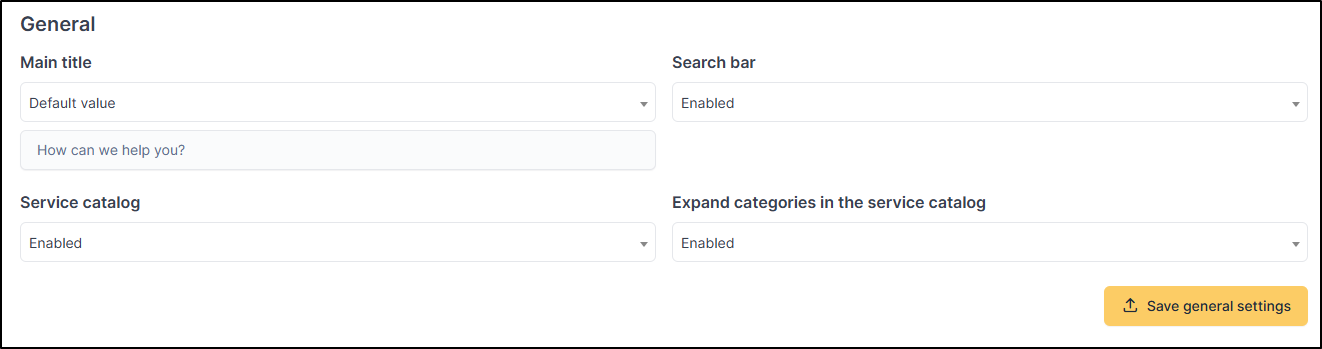
The configuration options available are:
**Search bar**:
* **Options**: Enabled/Disabled;
* **For child entities**: additional "**Inherited from parent entity**" option;
**Service catalog**:
* **Options**: Enabled/Disabled
* **For child entities**: additional "**Inherited from parent entity**" option
**Expand categories in the service catalog**:
* **Options**: Enabled/Disabled
* **For child entities**: additional "**Inherited from parent entity**" option
Service catalog configuration options (Bottom of Administration > Entities > Helpdesk home Tab)
{% endstep %}
{% step %}
### **Save Configuration**
Click the **"Save general settings"** button to apply the changes.
{% endstep %}
{% endstepper %}
***
## Categories Management
### Creating Categories
{% stepper %}
{% step %}
### **Access to Category Management**
1. Navigate to **`Administration` > `Forms` > `Service catalog categories`**
2. Click **Add** to create a new category

{% endstep %}
{% step %}
### **Category Configuration**
| Field | Description | Required |
| ---------------- | ----------------------------- | -------- |
| **Name** | Name displayed in the catalog | ✅ Yes |
| **Description** | Rich description (HTML) | ❌ No |
| **Illustration** | Representative image | ❌ No |
| **Category** | Parent hierarchy (optional) | ❌ No |

{% endstep %}
{% step %}
### **Visual Settings**
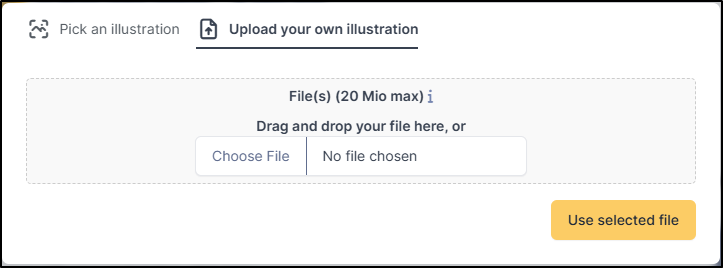
**Illustration**:
* Supported formats: PNG, JPG;
* Recommended size: 400x300px;
* Default illustration if not specified;
**Rich description**:
* Limited HTML support (no images)
{% endstep %}
{% endstepper %}
***
## Hierarchical Organization
### **Recommended structure**:
```
📁 IT Services
├── 📁 Hardware
│ ├── 📋 Computer request
│ └── 📋 Accessory request
├── 📁 Software
│ ├── 📋 Software installation
│ └── 📋 Software license
└── 📁 Support
├── 📋 Technical assistance
└── 📋 Training
```
{% hint style="success" icon="lightbulb-on" %}
**Best practices**:
* Maximum 3 levels depth
* Short and explicit names
* Consistent illustrations by theme
* Clear and concise descriptions
{% endhint %}
***
## Forms Configuration
### Adding a Form to the Catalog
{% stepper %}
{% step %}
### **Form Creation/Edition**
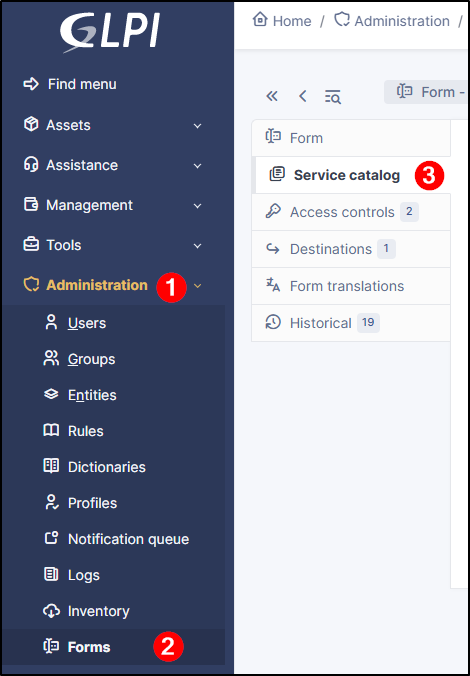
1. Navigate to **`Administration` > `Forms`**
2. Create a new form or edit an existing one
3. Access the **Service catalog** tab
{% endstep %}
{% endstepper %}
***
## Access Rights Management
### **Form Access Control**:
* Uses GLPI access control system
* Checks logged-in user rights
* Automatically filters inaccessible forms
* Supports entities and recursivity
### **Rights Configuration**:
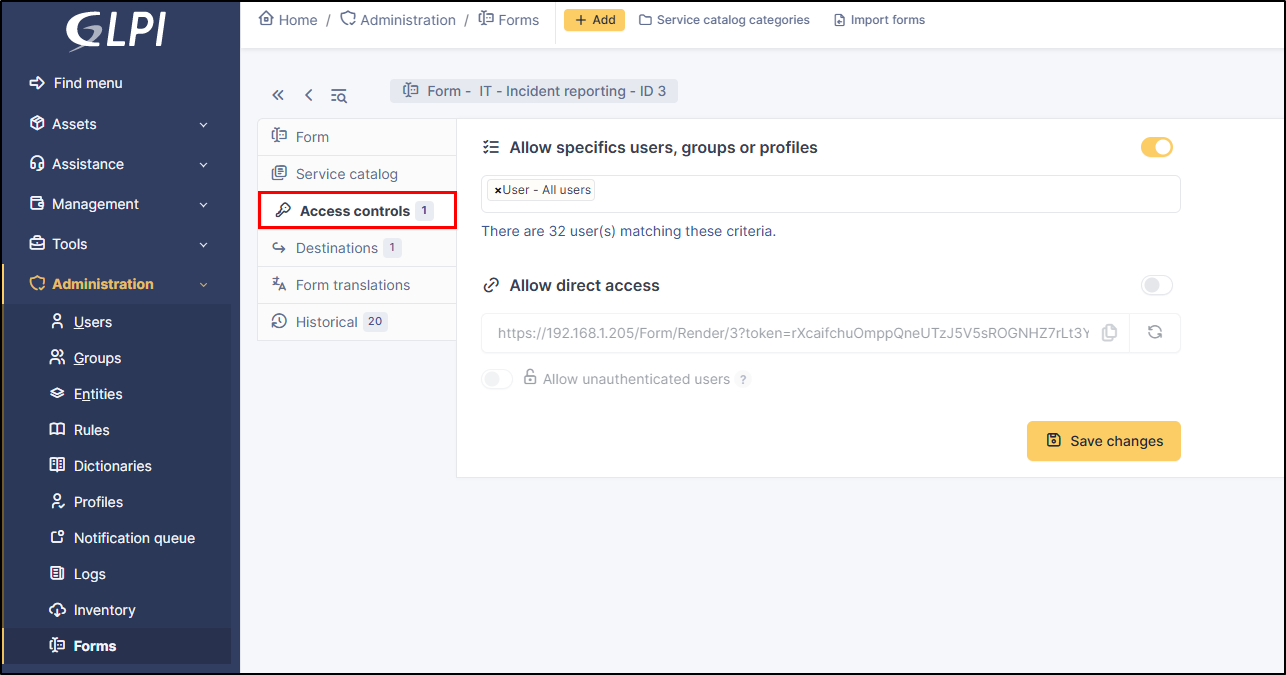
1. Access the form's **Access control** tab
2. Define access criteria (profiles, entities, etc.)
3. Test with different user accounts
***
## User Experience
### Catalog Navigation
#### **Catalog Access**
1. Log in to the GLPI user interface
2. Navigate directly to `/ServiceCatalog` or access via the `+ Create a ticket` button

Service catalog homepage
***
## Search Features
### **Search bar**
* **Fuzzy search**: Typo tolerance
* **Real-time search**: Instant filtering
* **Search fields**: Service name and description
* **Pinned services**: Always visible, non-filtered
### **Search examples**
* `computr` → finds "Computer request"
* `install` → finds "Software installation"
* `hardware` → finds all services in "Hardware" category
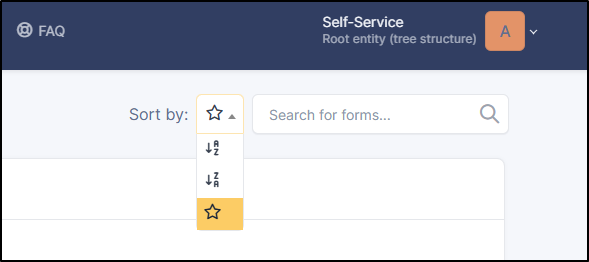
### Sort Options
#### **Available strategies**
| Icon | Strategy | Description |
| ---- | -------------------- | --------------- |
| 🔤 | Alphabetical | A → Z by name |
| 🔤↓ | Reverse alphabetical | Z → A by name |
| ⭐ | Popularity | Most used first |
#### **Popularity sort**
* Based on usage count;
* Highlights popular services;
* Useful for identifying recurring needs;
***
## Advanced Features
### Knowledge Base Integration
#### **Automatic display**
* Knowledge base articles integrated in catalog
* User access rights filtering
* Unified search (forms + articles)
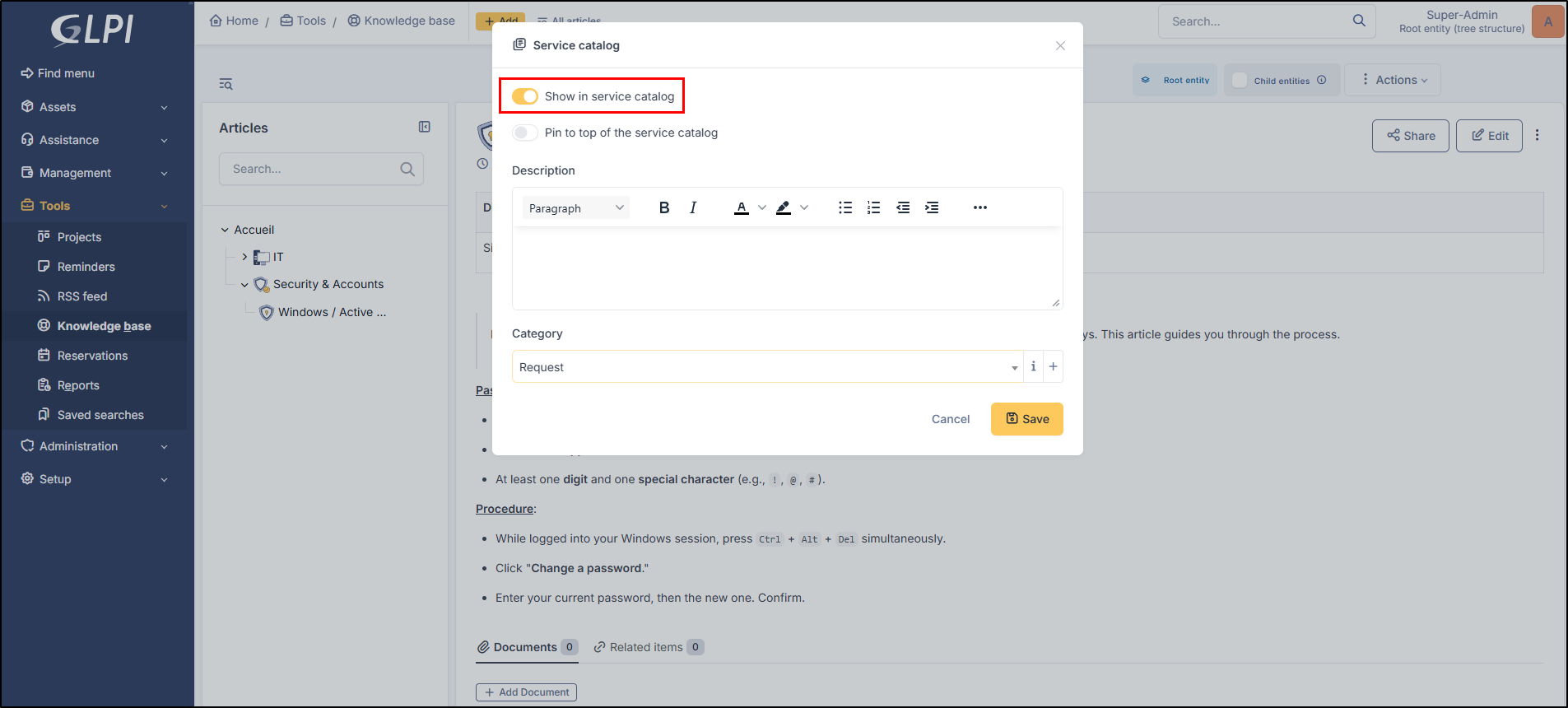
#### **Configuration**
1. Edit the concerned knowledge base;
2. Click on the right menu :ellipsis-vertical:;
3. **Service catalog** tab;
4. Select the activation button :toggle-large-on: for the **Show in service catalog** option;
***
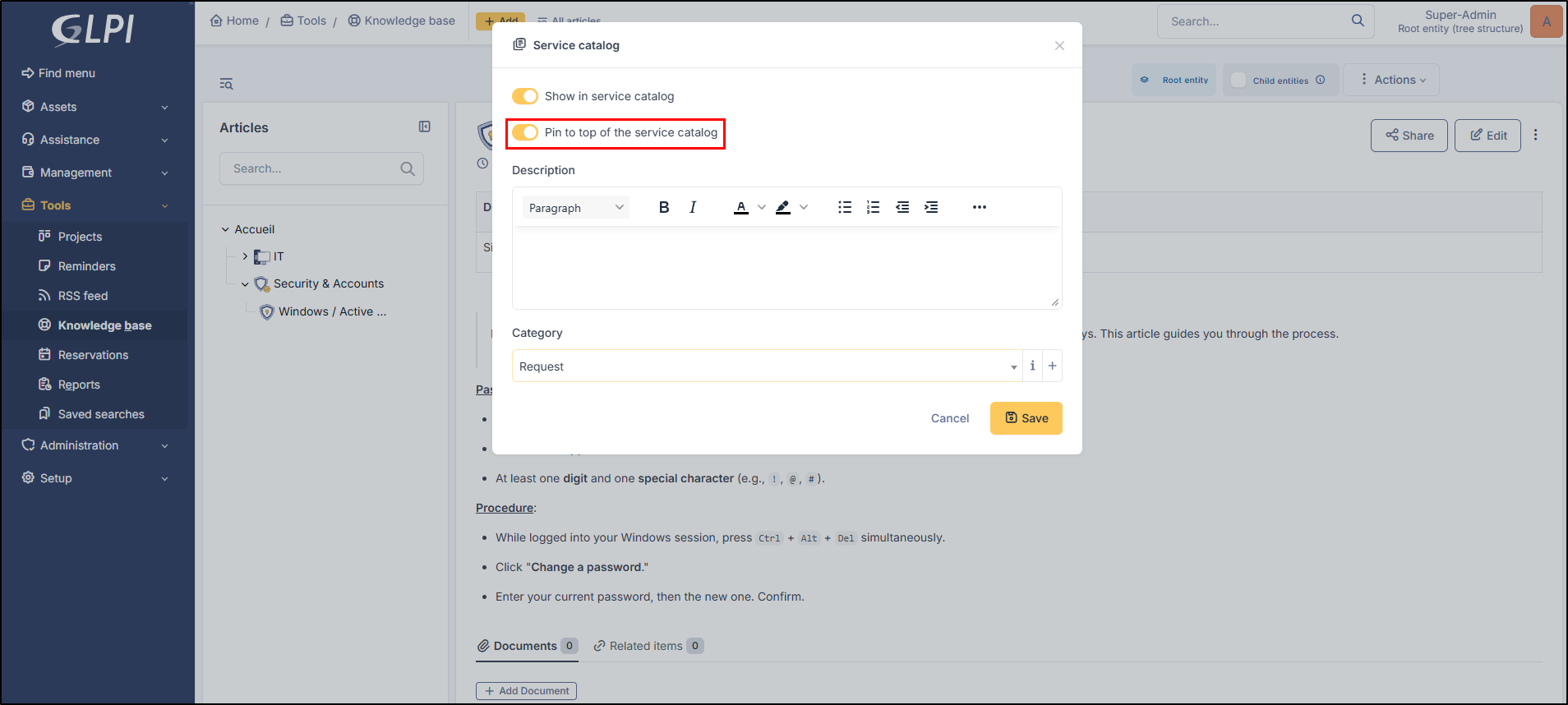
## Pinned Services
### **Feature**
* Priority services always visible;
* Not affected by search filters;
* Positioned first in display;
### **Configuration**
1. Edit the concerned form;
2. **Service catalog** tab;
3. Check **Pin to top of the service catalog** option;
***
## Administration and Rights
### Required Rights
#### **Administrator**
* **Entities**: Service catalog configuration per entity;
* **Forms**: Form creation and management;
* **Categories**: Category hierarchy management;
#### **Service Manager**
* **Forms**: Service catalog metadata modification;
* **Categories**: Creation within entity scope;
#### **End User**
* **Assistance**: Read-only service catalog access;
* **Forms**: Form submission according to access rights.
\