> For the complete documentation index, see [llms.txt](https://athome-1.gitbook.io/athome-docs/llms.txt). Markdown versions of documentation pages are available by appending `.md` to page URLs; this page is available as [Markdown](https://athome-1.gitbook.io/athome-docs/administration/inventory.md).
# Inventory
## Enable Inventory
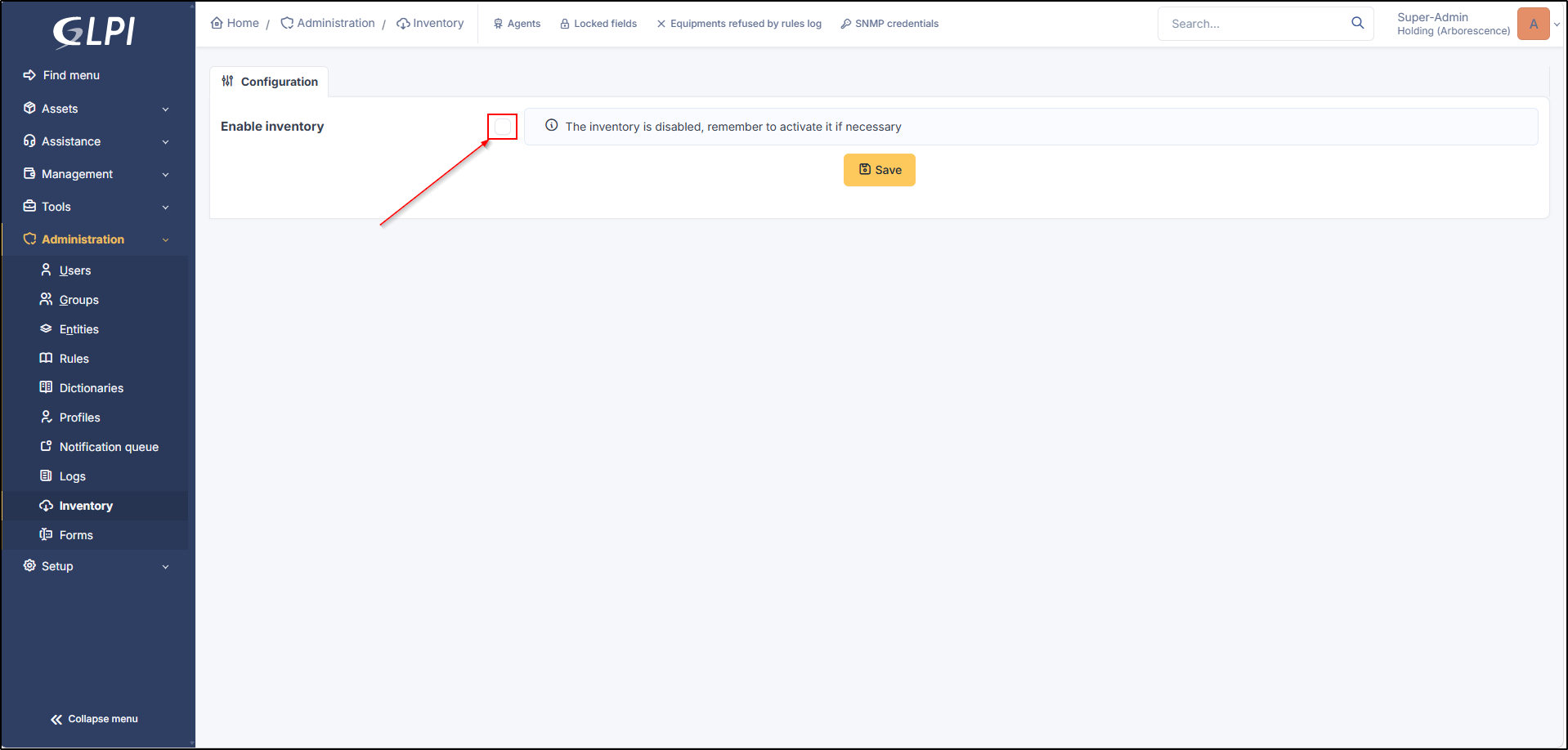
To access the inventory, it must be enabled from **`Administration`** > **`Inventory`**
Enable inventory
***
## Inventory Options
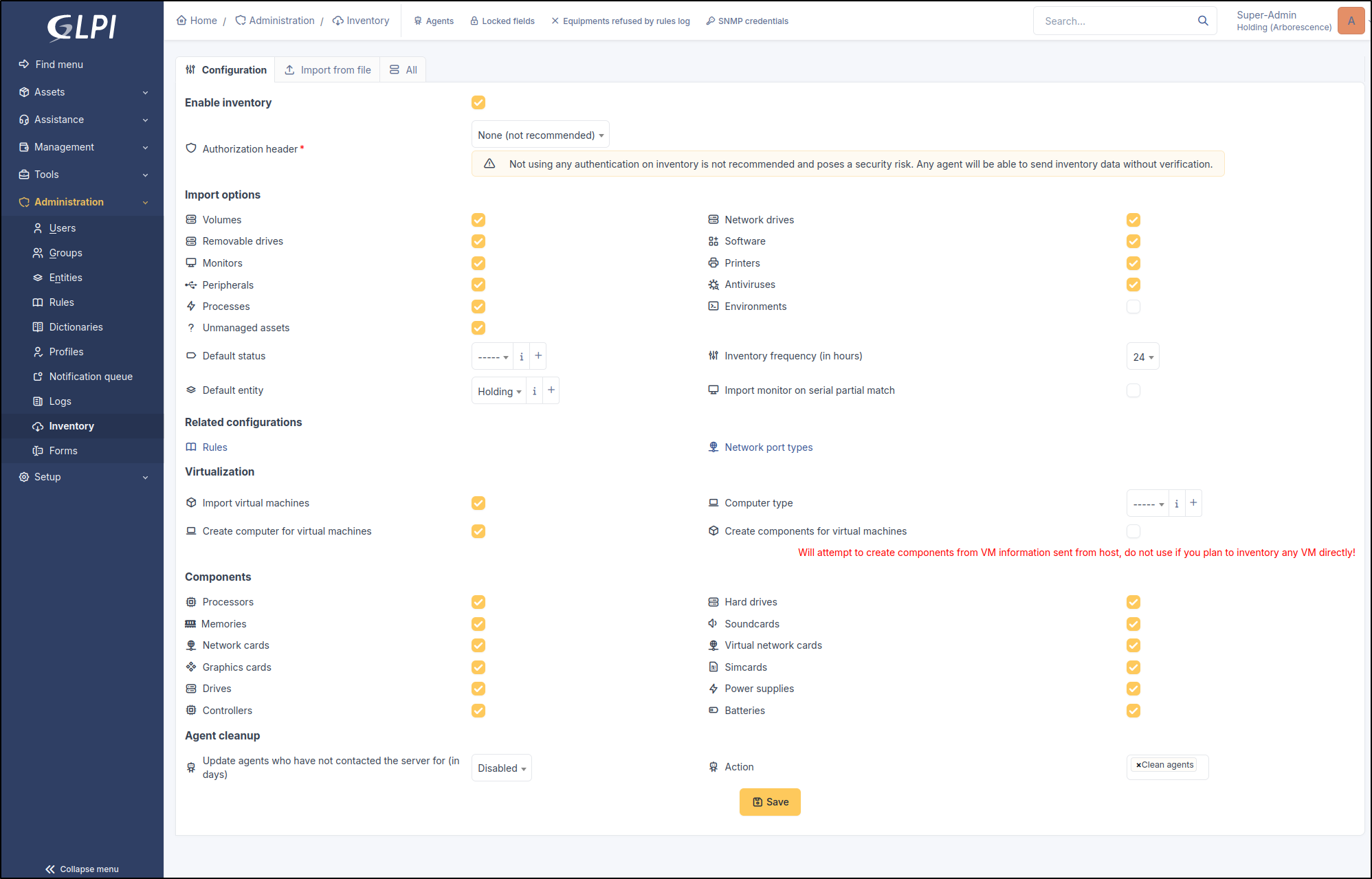
Several configuration options are possible once inventory is enabled, such as import, virtualization, etc.
Inventory options
### Agent Authentication
Agent authentication adds a layer of security to the inventory. If an agent attempts to register in the inventory without an authentication method, it will be rejected by GLPI.
2 methods can be configured:
* **OAuth - Client Credentials**: creation of an [OAuth client](/athome-docs/setup/oauth-clients.md) allowing asset authentication.
* **Basic Authentication**: authentication using an ID and password.
{% hint style="danger" %}
We strongly advise you to **use** one of the **authentication methods** to **secure** your **inventory** reports.
{% endhint %}
View agent documentation
### Import Options
You can configure the information that will be reported during an inventory:
* Volumes
* Network drives
* Removable drives
* Software
* Monitors
* Printers
* Peripherals
* Antivirus
* Processes
* Environments
* Unmanaged assets
**Default status**: defines a status when a new asset is reported in the inventory
**Inventory frequency (in hours):**
**Default entity**: defines the entity in which the hardware will be reported (root entity by default)
**Import a monitor with partial serial number matching:**
### Related Configurations
**Rules**: Allows adding inventory rules to assets
**Network port type**: adds and defines [network port types](/athome-docs/tabs/network_ports.md)
### Virtualization
* **Import virtual machines**: allows importing virtual machines present on a computer
* **Computer type**: defines the computer type for a virtual machine
* **Create a computer for virtual machines**: allows creating a computer when a virtual machine is detected on a computer (it will then be visible in the inventory as an asset)
* **Create components for virtual machines**: GLPI will attempt to create components from the VM information sent by the host. Do not use if you plan to inventory VMs directly.
### Components
Allows or disallows the reporting of asset components:
* Processors
* Hard drives
* Memories
* Soundcards
* Network cards
* Virtual network cards
* Graphics cards
* SIM cards
* Drives
* Power supplies
* Controllers
* Batteries
### Agent Cleanup
**Update agents that have not contacted the server for (in days)**: allows configuring an action (see below) after a defined time when an agent has not contacted the server for X days
**Action**: clean up agents, change the status, put asset in the trash
***
## Import Inventory Files
File import allows adding one or more computers from a `JSON`, `XML`, or `OCS` file. You can also import a compressed archive with multiple inventory files.